Displays the connected hardware. Scope checks the connected hardware every time your application is connected to hardware. If the current connected hardware is not the same as the previous connected, Scope will remove the previous in the list.
NOTE: By default, the devices displayed on the list will be arranged sequentially according to their EtherCAT connection order, with the displayed name of the device being the device's index. If you want to reorder the device list, you can use the alias* function (WriteAxisAlias or WriteIOAlias).
alias* If the alias function is enabled and the displayed order of the devices does not follow the alias order (instead, it's displayed in index), please re-connect to the KINGSTAR Runtime to update the alias order.

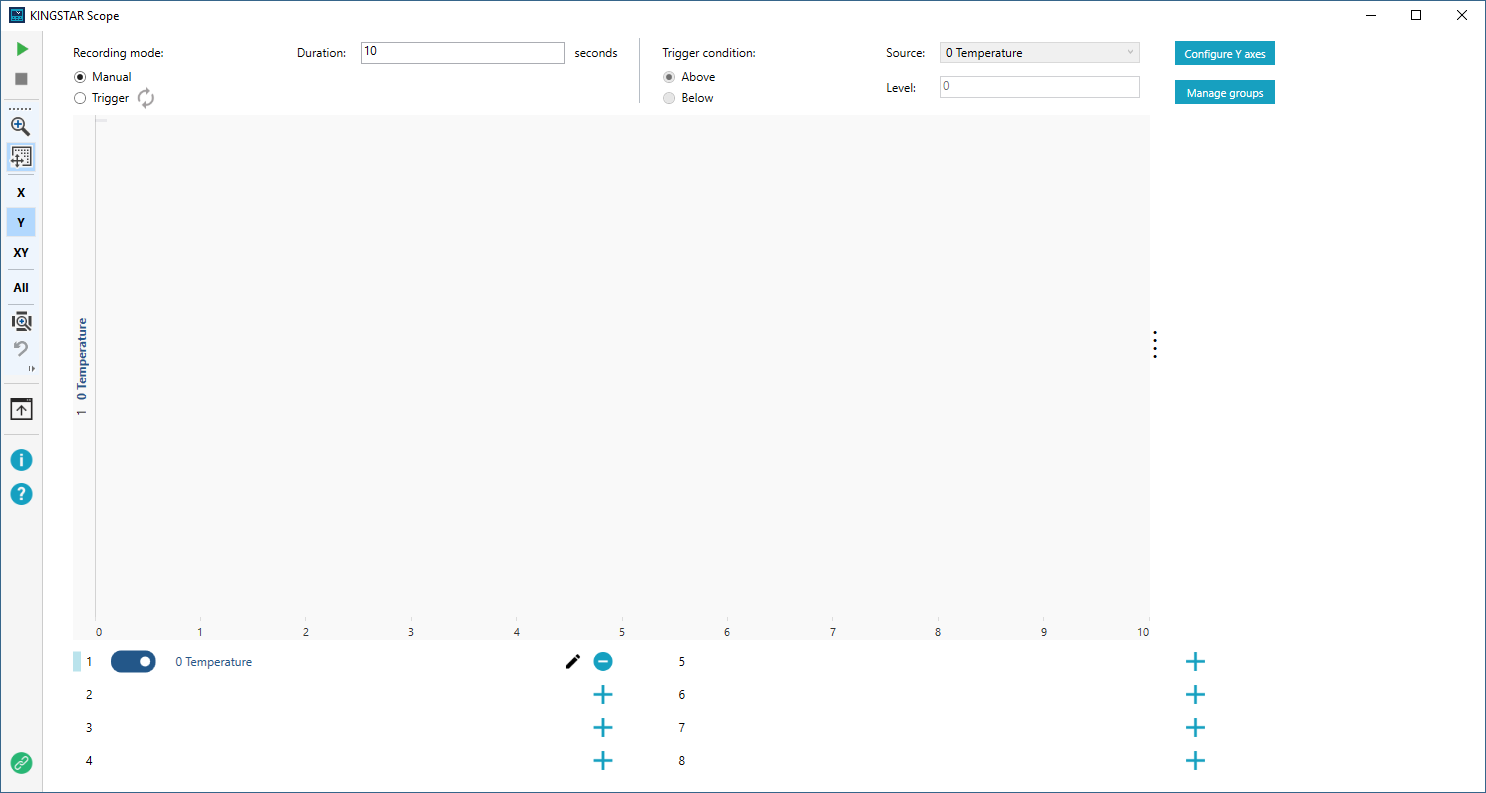
Add ( ): adds a device to the channel. You can add the same device to different channels. This icon appears when the channel is empty.
Status bar ( ): this vertical bar is in front of every channel and group. It highlights the channel you selected. When you click a channel, the bar lights up. The Y-axis of the selected channel can be moved individually in the graph.
On / Off ( ): turn on or turn off the channel. If you turn the channel off, its trace won't be displayed in the graph.
Edit ( ): edit the channel. The Edit Channel dialog box is the same as Add Channel.
Delete ( ): deletes the device in the channel.
Add Channel
Edit the device in the channel. This dialog box appears when you click . When you finish editing, click Add.
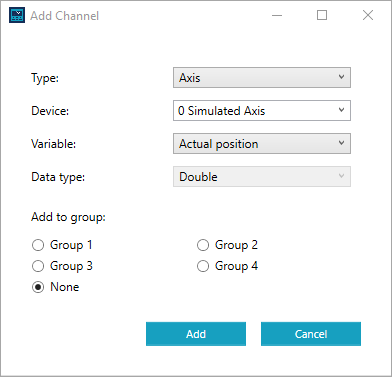
Type: the type of the device. You can select Axis, IO, or User variable.
Device: select a device from the drop-down list.
Variable: the signal sent from the device. It has the following variables: Actual position, Actual velocity, Actual torque, Actual current, Following error, Internal position, Interpolation position, Interpolation velocity, Interpolation torque, Interpolation acceleration, Interpolation jerk, Input, Ouput.
NOTE: When modulo axis is enabled, Actual position and Interpolation position will be converted to a modulo value.
Data type: the data type to read.
Add to group: adds the channel to a group to compare the result. By default, it is None, which doesn't add the channel to any group.
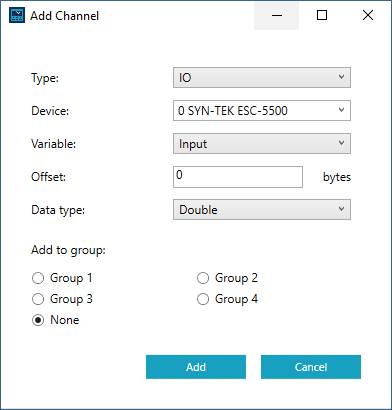
When Type is IO, you can select only Input or Output.
Offset: specifies a byte offset to the location to read a value.
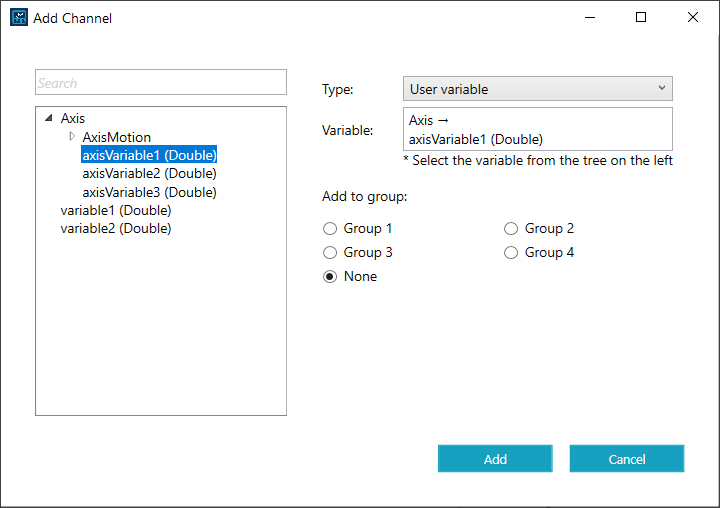
When Type is User variable, you can select the variables you defined, which are displayed on the left-side pane. Directly click on a UserVariable to select one. You can also input the keywords in the Search box to search for the specific UserVariable.
See also