This sample shows how to bind the Windows Presentation Foundation (WPF) graphical user interface (GUI) with KINGSTAR .NET Class methods and properties. Because the sample centers on the link between the WPF GUI and the KINGSTAR methods, it demonstrates only the basic features.
Compile and run the sample
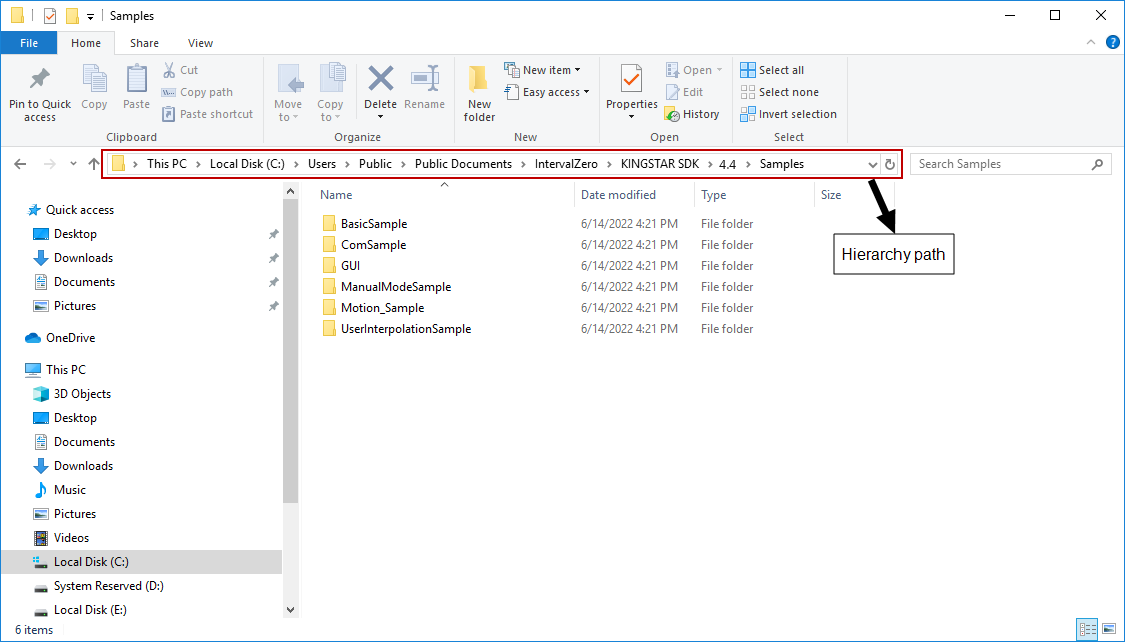
The sample file is located at C:\Users\Public\Public Documents\IntervalZero\KINGSTAR SDK\<Version Number>\Samples\GUI\CSHARP_NETCLASS_WPF_GUI. Open CSHARP_NETCLASS_WPF_GUI.sln and compile it.
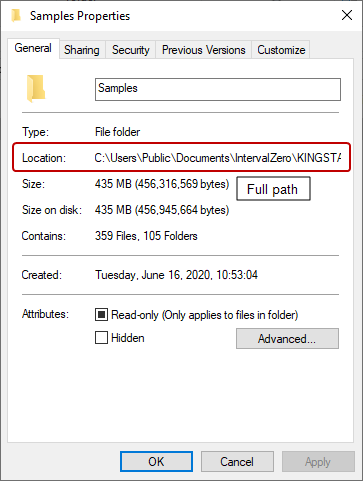
NOTE: File Explorer has two paths: the hierarchy path and full path. The hierarchy path is shown in the address bar. The full path is shown in <File Name> Properties—if you right-click CSHARP_NETCLASS_WPF_GUI.sln and click Properties, you'll see the Location is C:\Users\Public\Documents\IntervalZero\KINGSTAR SDK\<Version Number>\Samples\GUI\CSHARP_NETCLASS_WPF_GUI, which is the full path. Notice that in the hierarchy path it is Public Documents. If you are using a non-English Windows system, and you want to copy and paste the path to the address bar to find the sample quickly, you must use the full path. If you want to browse to the sample folder through clicks, use the hierarchy path. For English Windows, folder redirection is done automatically. Even if you paste the hierarchy path, File Explorer can lead you to the sample.
|
|
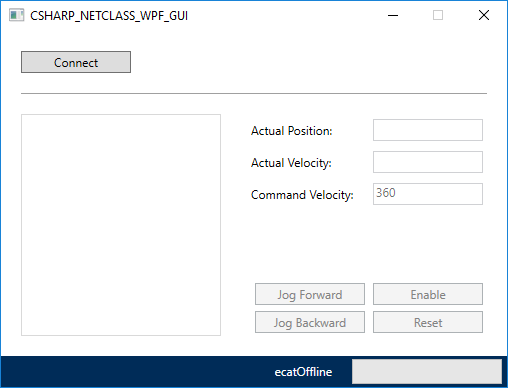
The figure below shows the output of the sample:
Source code
This WPF sample uses the Model-View-ViewModel (MVVM) architecture. It is developed using C# in Visual Studio 2019 and WPF 64-bit. When developing your own applications, you can choose your own development environment, as long as the application is 64-bit, which is required to control the real-time Subsystem. MainWindow.xaml is View, and .cs files are ViewModels.
The main source code is contained in the following files:
- MainWindow.xaml: the user interface (UI). It uses tags to define the elements of UI, and binds the UI with the logic written in
.csfiles. MainWindow.xaml.cs: the behavior of the buttons.MainWindowViewModel.cs: the logic that controls KINGSTAR Subsystem.
Link the .NET Class methods and properties to the WPF GUI
Before you start writing code, you should have built a WPF GUI. The layout of the GUI can be customized to meet your needs. In this sample, we use only the basic components to demonstrate how to link the KINGSTAR methods and properties to the GUI.
Interfaces and asynchronous programming
.NET Class implements interfaces, which achieves loose coupling so the members declared in interfaces are not affected by the classes that define and implement them. Asynchronous programming allows you to perform a time-consuming task and keeps other UI elements responsive at the same time. Asynchronous programming uses async and await keywords. async means the method is asynchronous. await frees the calling thread — it pauses the job the thread is doing when other elements need the thread, and resumes the job when the thread is idle until it is done. One async method can have multiple await calls. await calls must be used inside an async method.
Components
This section introduces the following components: